I’m new to the BFD world. I’ve installed it on a Windows computer that uses a Mackie ProFX16v2 as its audio interface. I’m using an xD3 Black module from my ATV EXS2 eDrums set as a MIDI controller, with the Simmons SD1000 keymap.
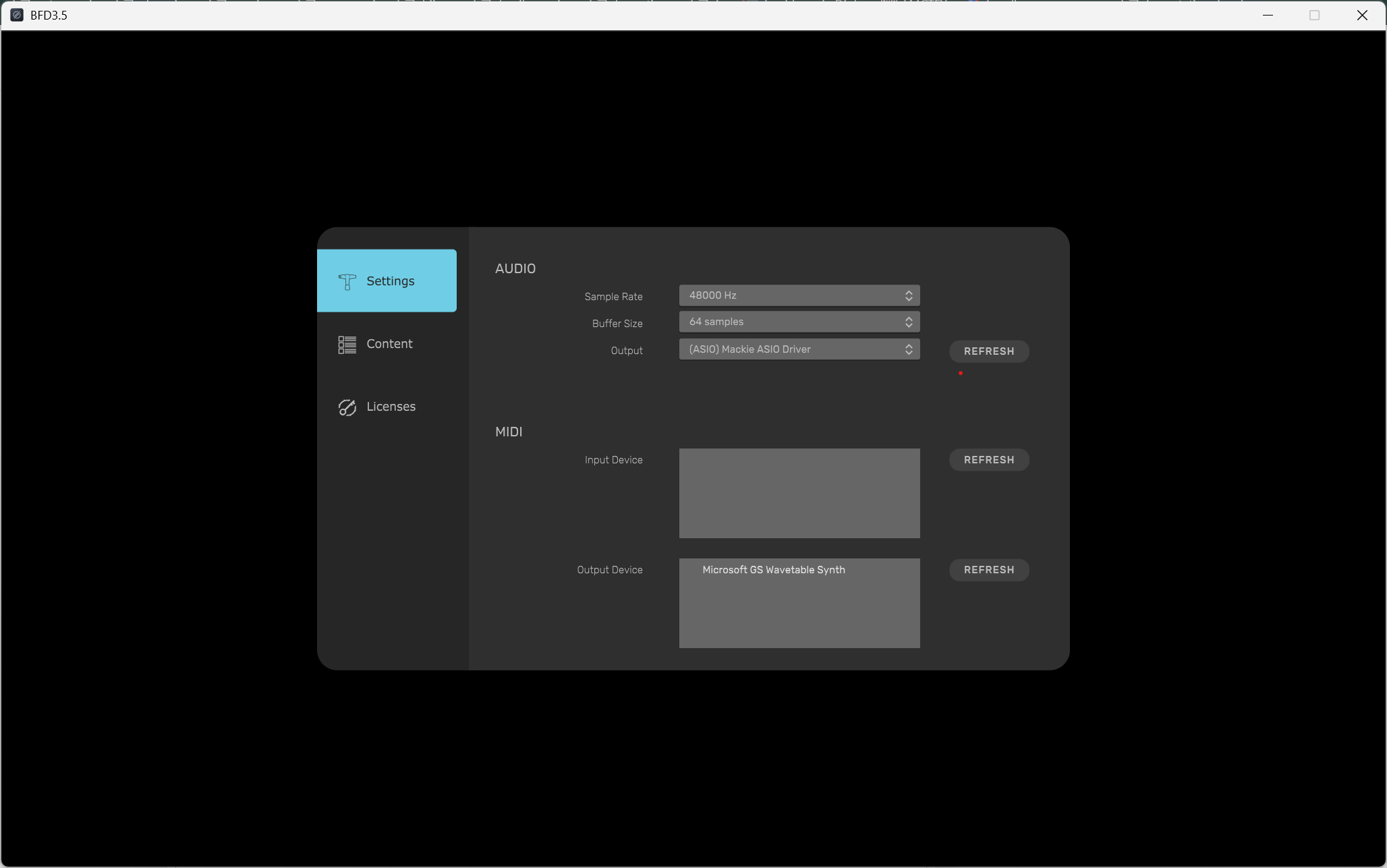
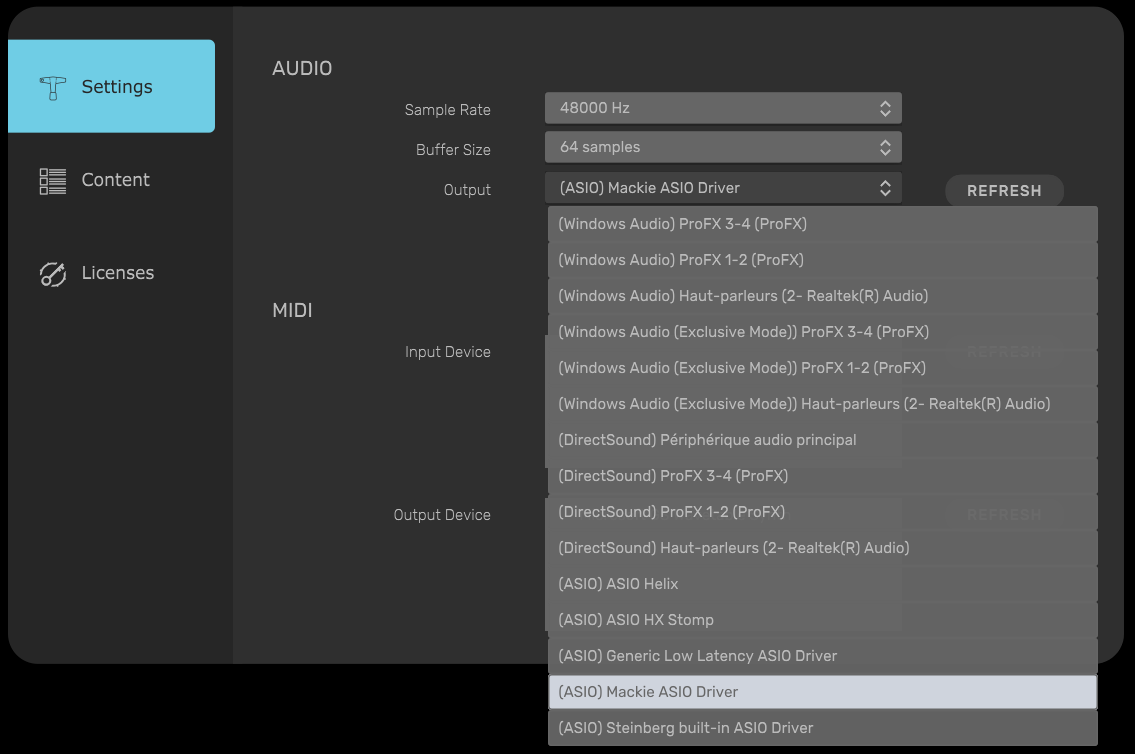
The problem I’m encountering with the BFD standalone application (and also the BFD Player standalone app) is in the audio/MIDI settings. While I can select the ASIO driver for my Mackie, I don’t seem to have the option to choose which outputs the application uses. By default, it’s using Outputs 1-2, which can only be monitored via headphones/Control Room. I would like it to use outputs 3-4 to send the audio to a specific channel on my mixer (there’s a channel with a switch labeled USB3-4). Every other virtual instrument I’ve tried has allowed me to choose the output channels in their audio/MIDI settings, but this isn’t the case with BFD (nor BFD Player).
I’ve looked into the built-in mixer. The master track doesn’t offer any output selection; it appears to be hard-wired. As a last resort, I tried changing the output of each individual channel within the BFD mixer. The only option that almost achieved what I wanted was “Stereo2,” but I only got the left channel of that “stereo” output.
I haven’t tried it yet, but I suspect the solution might be to use the VSTi plugin within a DAW, which would likely allow me to route the sound where I need it.
However, I was hoping there might be a simpler solution directly within the standalone app.
Many thanks in advance for any help.
PS: Sorry if this is the wrong forum. I’m not sure yet if this is a bug report, a feature request, or just me being daft. lol
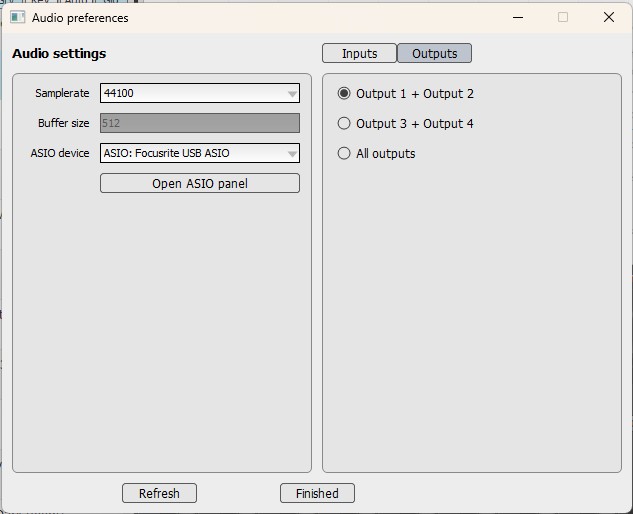
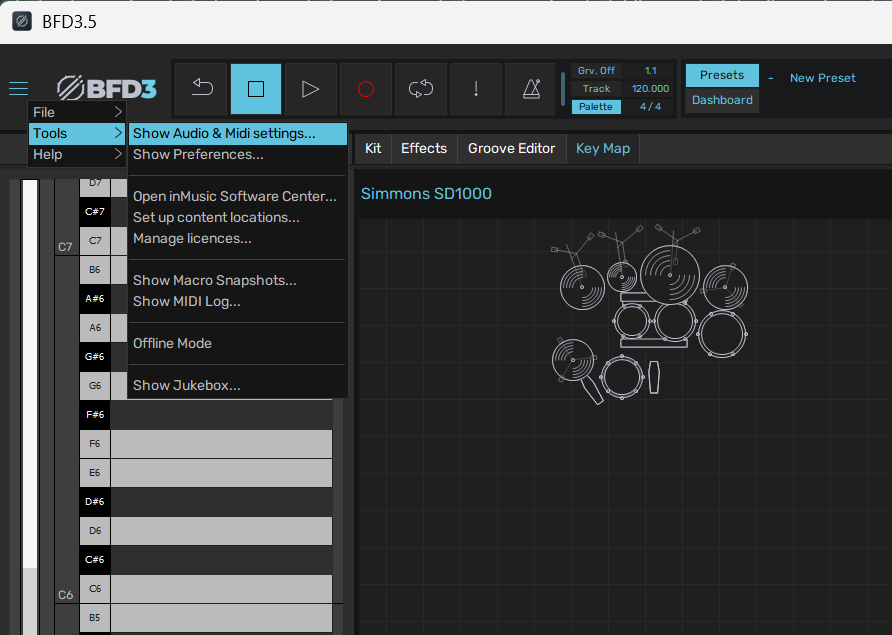
Well, first, thank you for trying; it might actually help. Can you tell me what I’m looking at? Because this doesn’t look like what I see on my screen. Here’s how I access the audio settings in BFD3:
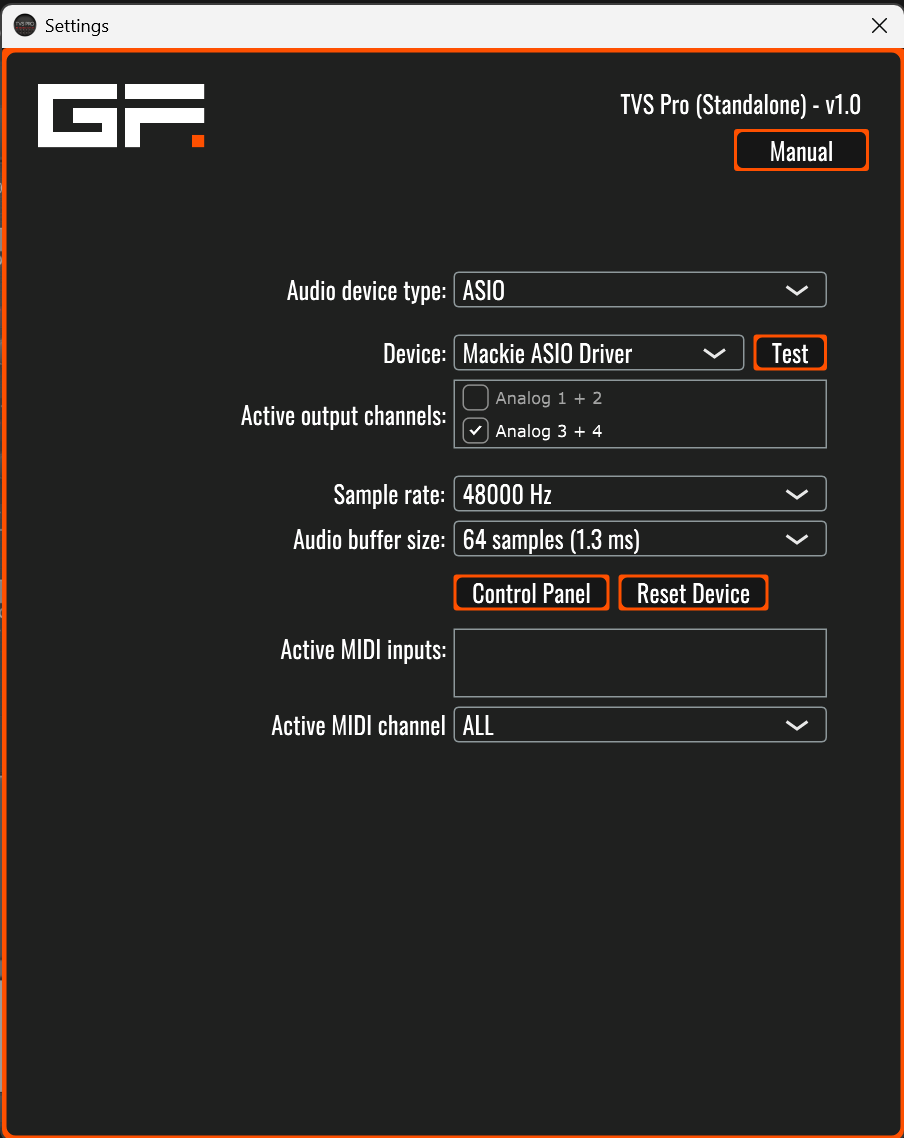
The two stereo buses are visible with other drivers, but not with the ASIO one. For comparison, here’s what I see in GForce TVS Pro’s equivalent settings (and pretty much every other standalone virtual instrument I’ve tried : Modartt Pianoteq, NI Battery 4, Toontrack SD3, etc.) :
Your screenshot makes me wonder if there’s another panel I should be looking for somewhere in BFD. As for the Mackie Control Panel, it doesn’t offer many options – only buffer settings and input/output volumes.
3.4 certainly looks like it was more flexible! So I guess I’m dealing with what seems to be some sort of regression from previous versions.
Thanks for your help.
There were a few improvements between BFD3.4 and BFD3.5 but they massively broke something that matters far more than any of their improvements, and that’s the ability to see kit piece names generated in the piano roll of my sequencer.
Because of that, I went back to 3.4.
I’m so glad I kept the 3.4 install files and the libraries because a few months after it’s release, inmusic decided to remove everything, so anyone needing to go back to 3.4, was stuck.
Frankly I thought that was an appalling move with no prior warning to its userbase.
I reported the issue as a bug, it was acknowledged as such and that was just over a year ago now. There hasn’t been one single bug fix and no communication at all since Drew jumped ship.
It pains me to say it, but I don’t think inmusic have any interest in the future development of BFD3 as a desktop product, their only interest is, and always was it’s use with with their edrum brain.
If you previously had BFD3.4, and wanted to go back, and you’re a windows user, I have the original exe files if you want them.
Steve
This is the issue I had, and the reason I went back to 3.4.
Oh dear, that doesn’t bode well for the future of this product. Have I put some eggs in the wrong basket? Anyway, thanks for the information. I may need that version you’re carefully preserving, because the laptop I use for this purpose runs on Windows. I’d be happy to try it out. I use MacOS for recording, but I don’t think I’ll have this kind of problem within the DAW… I hope!
In fact, as I was writing this, I got curious to see how the standalone BFD performs on my Mac… And it’s worse: the ASIO drivers don’t even show up!.. Only the “Coreaudio” drivers are present! There is clearly a problem with the audio settings in this version.
 I will reply shortly ! sorry for the delay in replying