# BFD3.5 problem --Fl studio’s GUI
**URL:** https://forum.bfddrums.com/t/bfd3-5-problem-fl-studio-s-gui/9054
**Category:** General Discussion
**Created:** [June 6, 2025, 9:27am UTC](https://forum.bfddrums.com/t/bfd3-5-problem-fl-studio-s-gui/9054 "2025-06-06T09:27:20Z")
**Posts on this page:** 9
**Page:** 1
### Author:  [@jiagnli](https://forum.bfddrums.com/u/jiagnli)
#### Post date: [June 6, 2025, 9:27am UTC](https://forum.bfddrums.com/t/bfd3-5-problem-fl-studio-s-gui/9054/1 "2025-06-06T09:27:20Z")
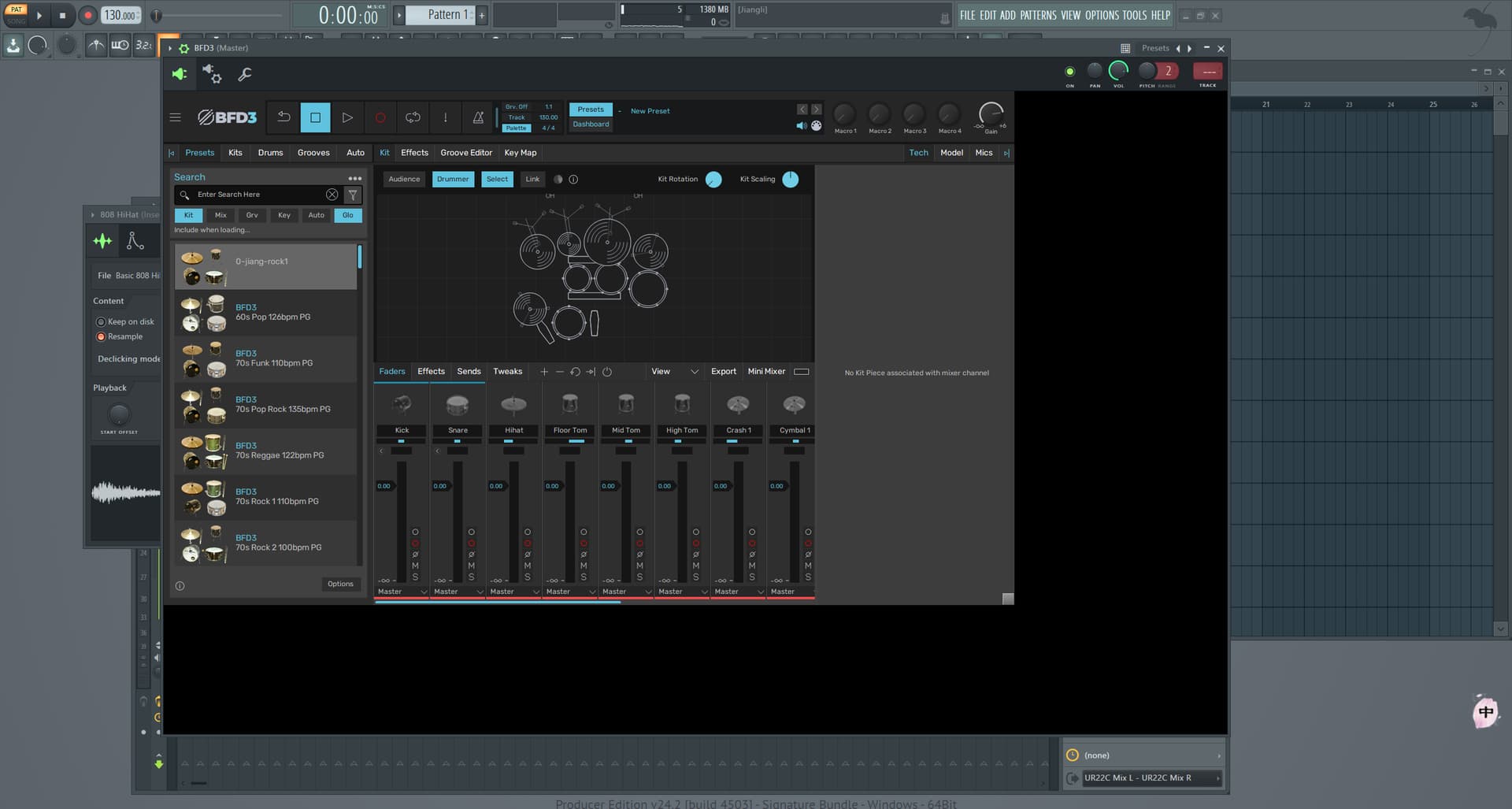
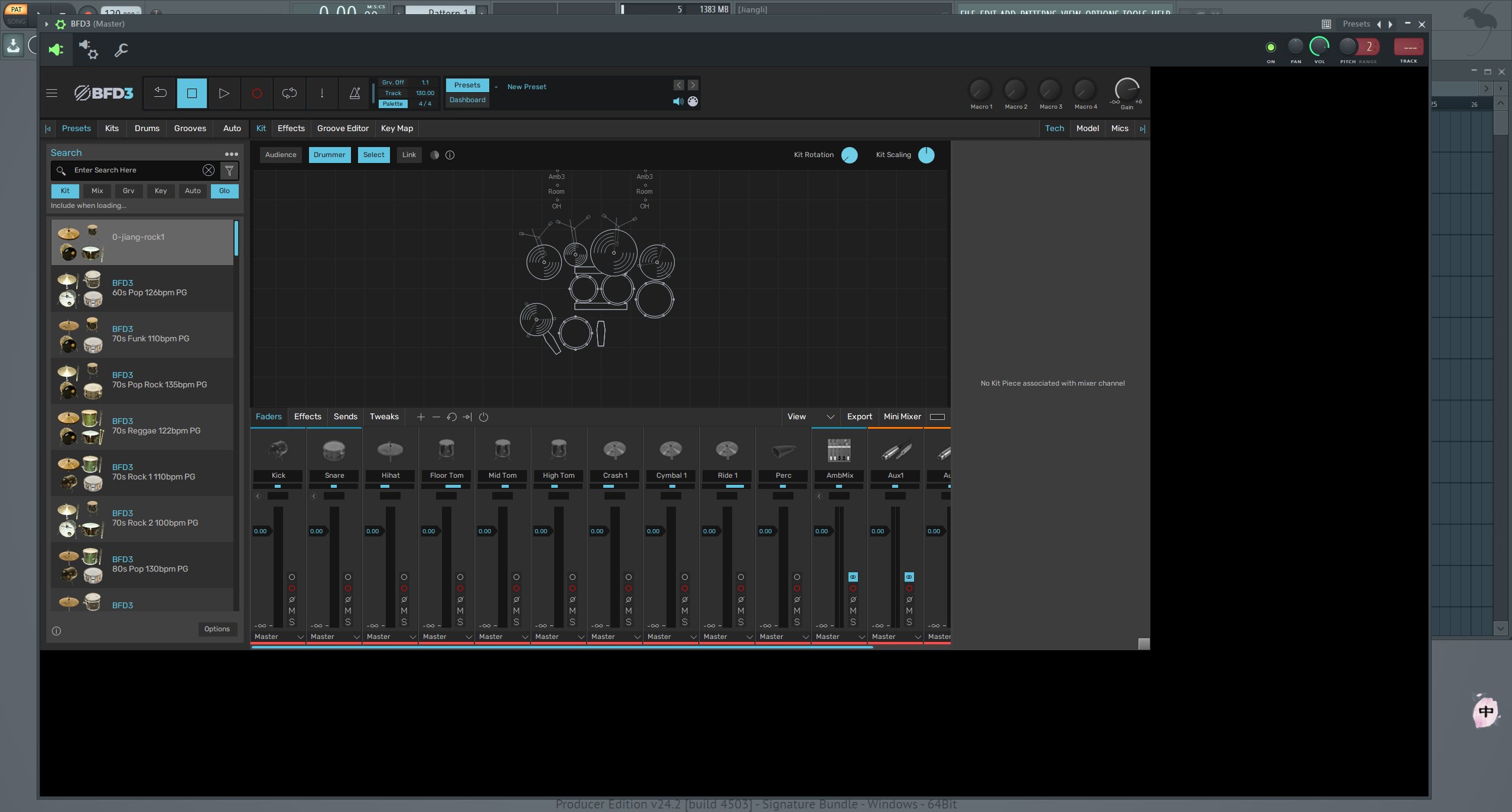
Just like this, BFD3.5 has huge black borders in FL studio no matter how you zoom. I tried changing the GUI settings in FL studio, still no effect. In BFD3.4, there is no such problem.
When I drag the window zoom button on the lower right of BFD, the entire black border is also enlarged, which takes up a lot of space… (P1 is before dragging, and P2 is after dragging and enlarging)
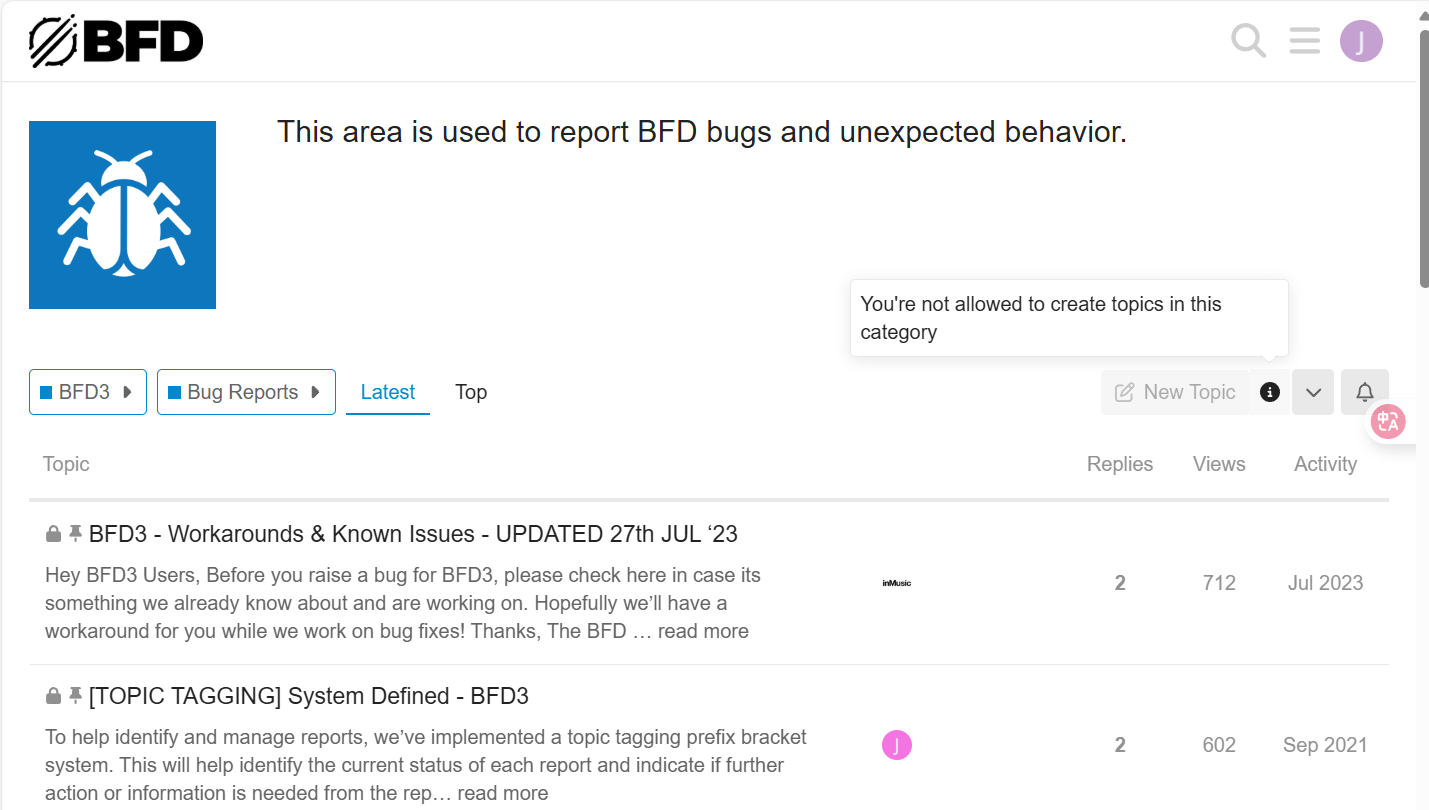
It wasn’t posted in the bugs area because I don’t have the permission…
It’s been almost three months and this problem still hasn’t been solved
---
### Author:  [@CHASER](https://forum.bfddrums.com/u/CHASER)
#### Post date: [June 9, 2025, 8:07am UTC](https://forum.bfddrums.com/t/bfd3-5-problem-fl-studio-s-gui/9054/2 "2025-06-09T08:07:57Z")
I believe it’s probably happening in more DAW…
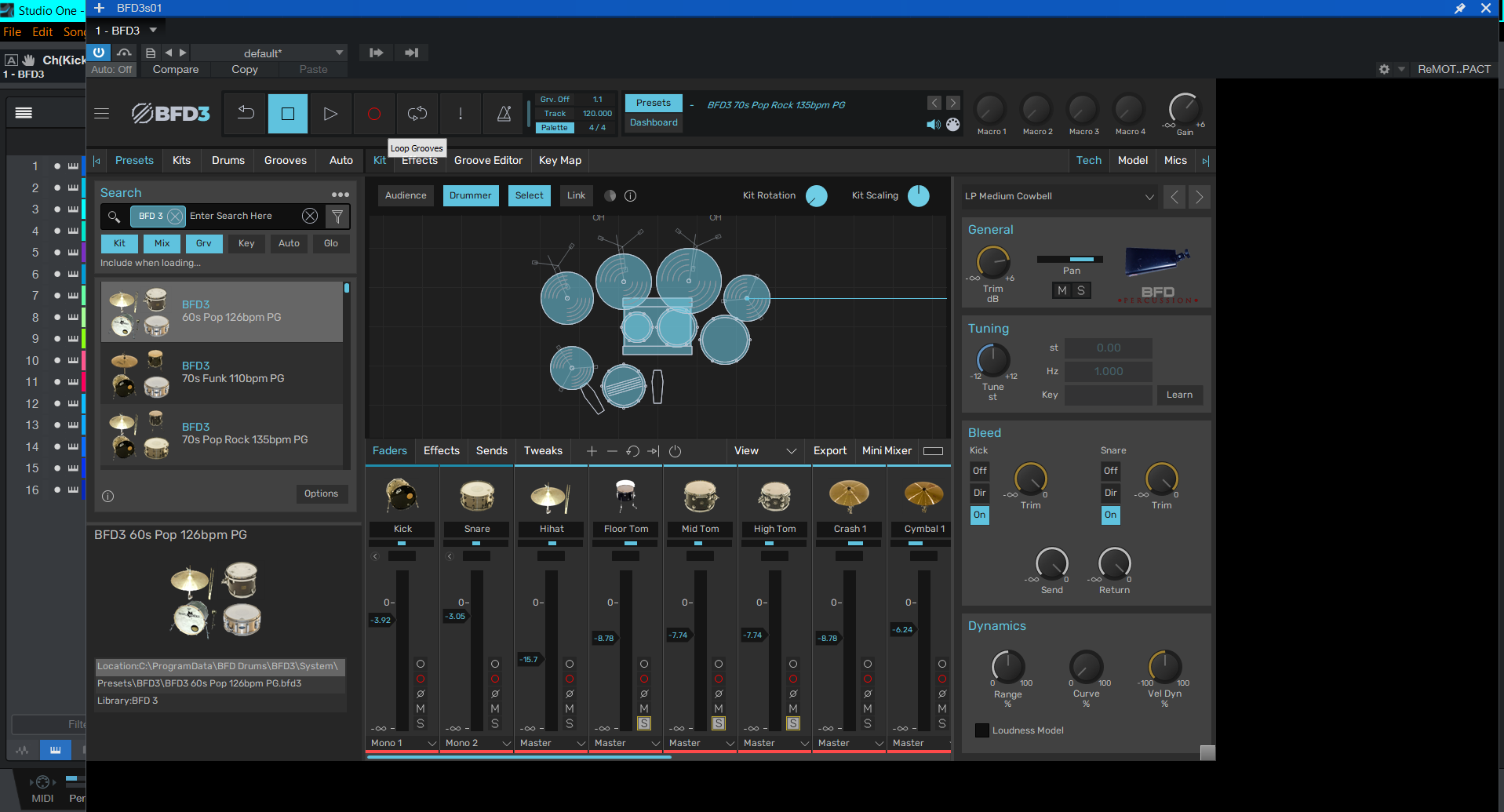
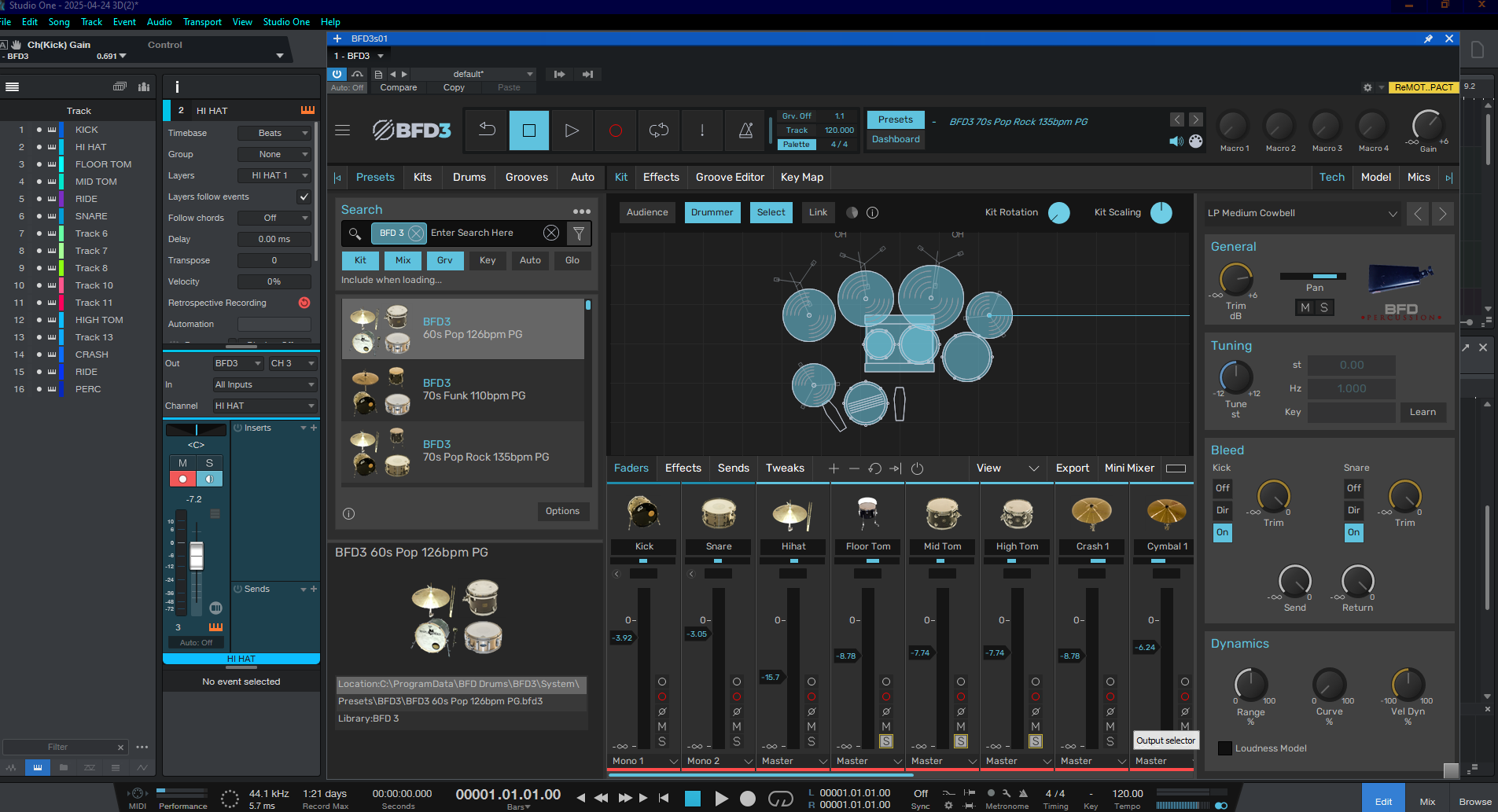
I see it in Presonus Studio One..
I changed the Computers Display Scaling/Layout to 100%..I had it on 125%.
After changing to 100% the Black Border is no longer there.(WIN 10)
---
### Author:  [@destroyhc](https://forum.bfddrums.com/u/destroyhc)
#### Post date: [June 9, 2025, 10:20am UTC](https://forum.bfddrums.com/t/bfd3-5-problem-fl-studio-s-gui/9054/3 "2025-06-09T10:20:15Z")
Click and drag that little grey button in the bottom right of BFD should let you fill the black space?
---
### Author:  [@CHASER](https://forum.bfddrums.com/u/CHASER)
#### Post date: [June 9, 2025, 1:07pm UTC](https://forum.bfddrums.com/t/bfd3-5-problem-fl-studio-s-gui/9054/4 "2025-06-09T13:07:40Z")
The Vst/Image and the Black area make up the Window.
When the Display scaling is set above 100% the Black is visible and the Black resizes (silver box) along with the Vst/image…125% and above the Black area starts to go off screen.
For me the issue may be the Min Requirement is Win 1909.
I am using Enterprise LTSC 2021..which is the last version of Win 10.
I have No Plans on moving to Win 11.
Windows 10 Enterprise LTSC
21H2
19044
---
### Author:  [@Lukas](https://forum.bfddrums.com/u/Lukas)
#### Post date: [July 2, 2025, 8:13am UTC](https://forum.bfddrums.com/t/bfd3-5-problem-fl-studio-s-gui/9054/5 "2025-07-02T08:13:17Z")
I have the same issue after updating to 3.5, but since my monitor is 4k, changing the DAW’s / Monitor’s display scaling to 100% creates another problem resulting in the entire Daw / System being tiny.
my current GUI is 175%
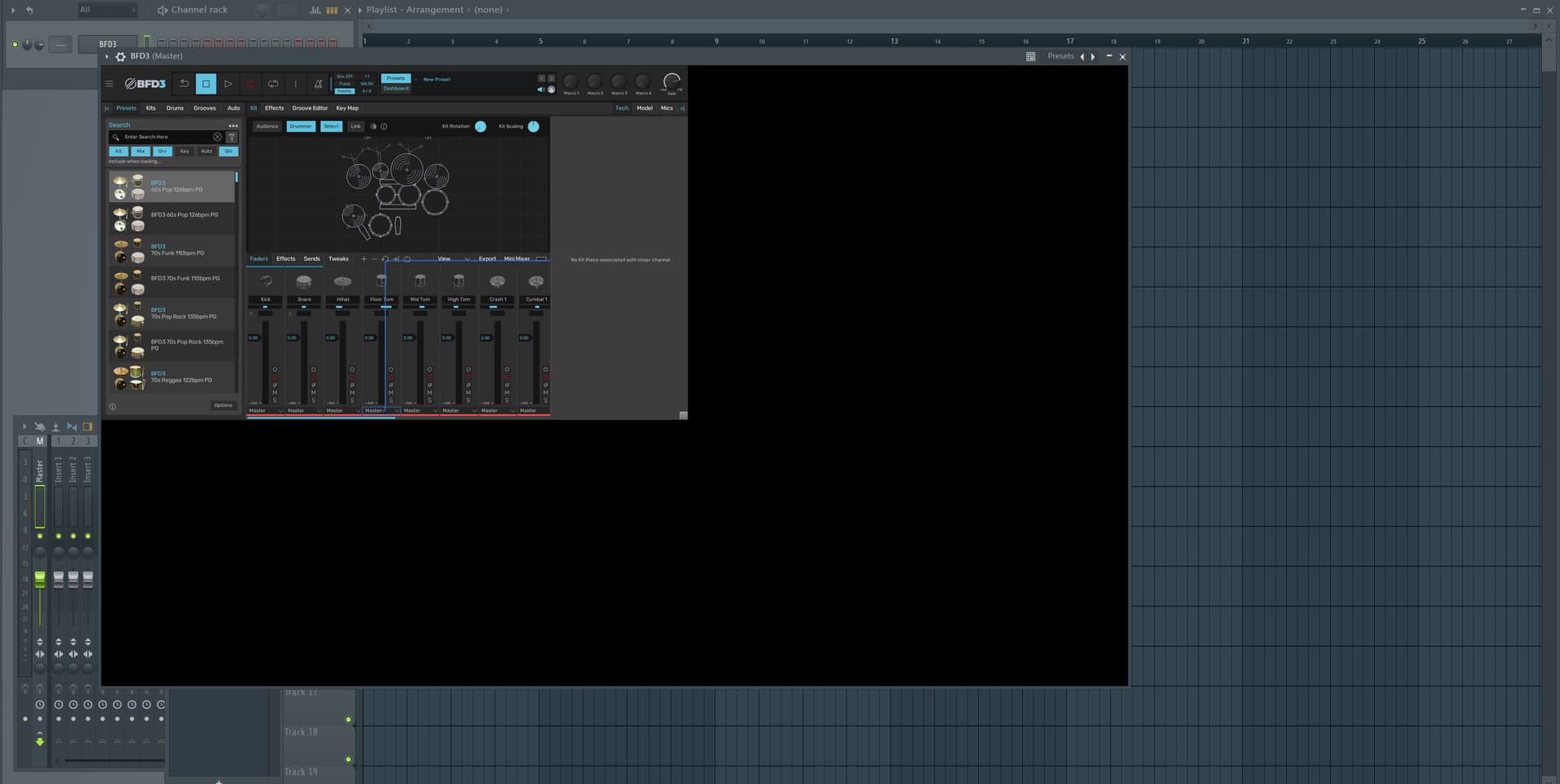
are there any other workarounds other than turning my monitor from 4k to 1080p? or anywhere else where this has been addressed?
(edit: I am on Win11 btw)
---
### Author:  [@CHASER](https://forum.bfddrums.com/u/CHASER)
#### Post date: [July 2, 2025, 2:06pm UTC](https://forum.bfddrums.com/t/bfd3-5-problem-fl-studio-s-gui/9054/6 "2025-07-02T14:06:57Z")
The only Workaround I know of for FL Studio for Vst Scaling for 4K …is Bridged Mode
“_Currently, the only way to benefit from plugin HiDPI mode in FL Studio is to run plugins in_ **[BRIDGED MODE](https://www.image-line.com/fl-studio-learning/fl-studio-online-manual/html/plugins/wrapper.htm#wrapper_vstscaling)**.”
---
### Author:  [@Lukas](https://forum.bfddrums.com/u/Lukas)
#### Post date: [July 3, 2025, 8:27am UTC](https://forum.bfddrums.com/t/bfd3-5-problem-fl-studio-s-gui/9054/7 "2025-07-03T08:27:13Z")
Hey thanks for your response, yeah I had BFD3 bridged to fix scaling issues natively and that worked fine before updating to 3.5
this is how bridged mode (dpi aware off) looks like with BFD3.5
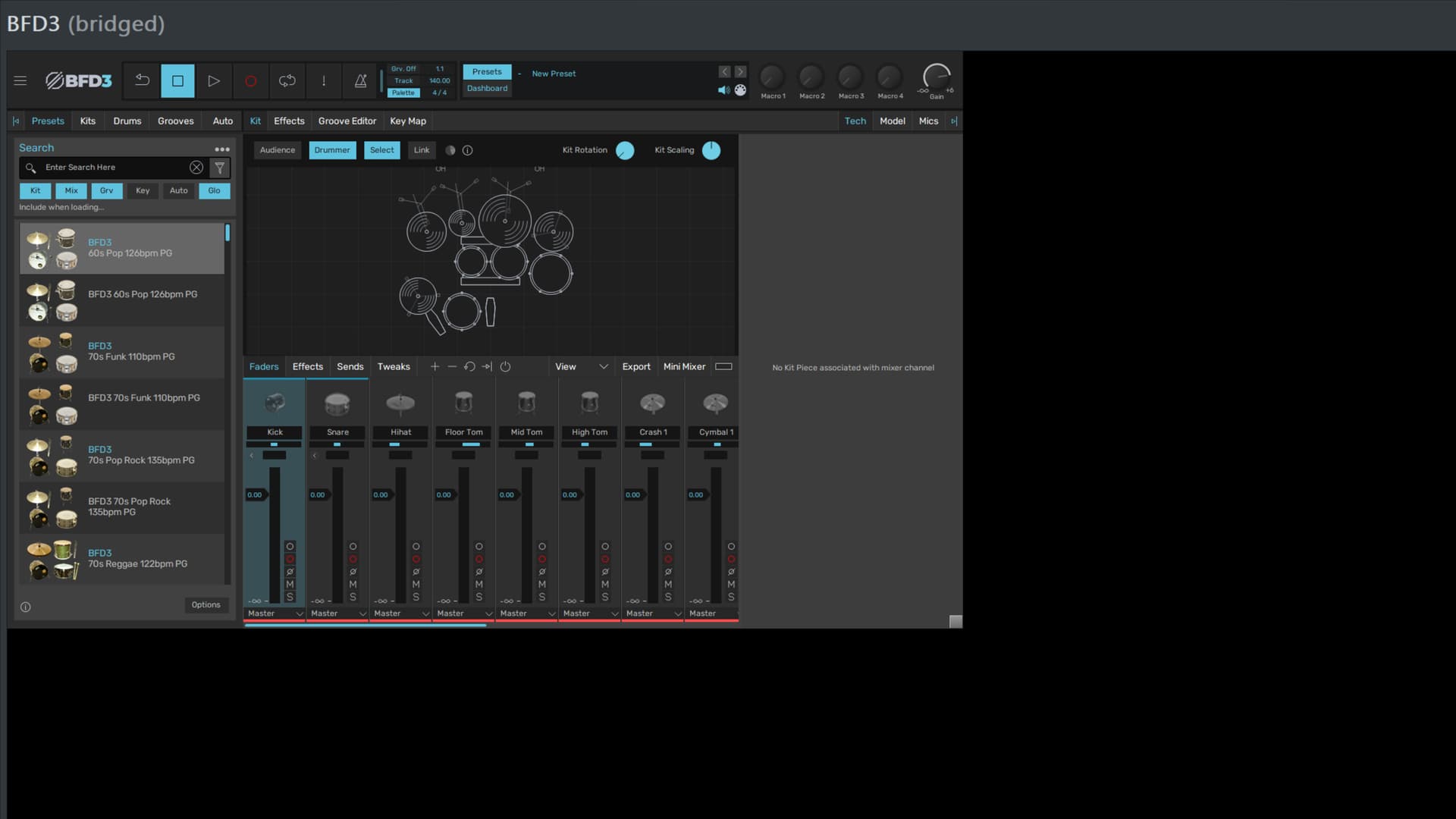
this is my entire screen, including taskbar haha and the black border continues to scale “off screen”
---
### Author:  [@jiagnli](https://forum.bfddrums.com/u/jiagnli)
#### Post date: [November 8, 2025, 2:25pm UTC](https://forum.bfddrums.com/t/bfd3-5-problem-fl-studio-s-gui/9054/8 "2025-11-08T14:25:37Z")
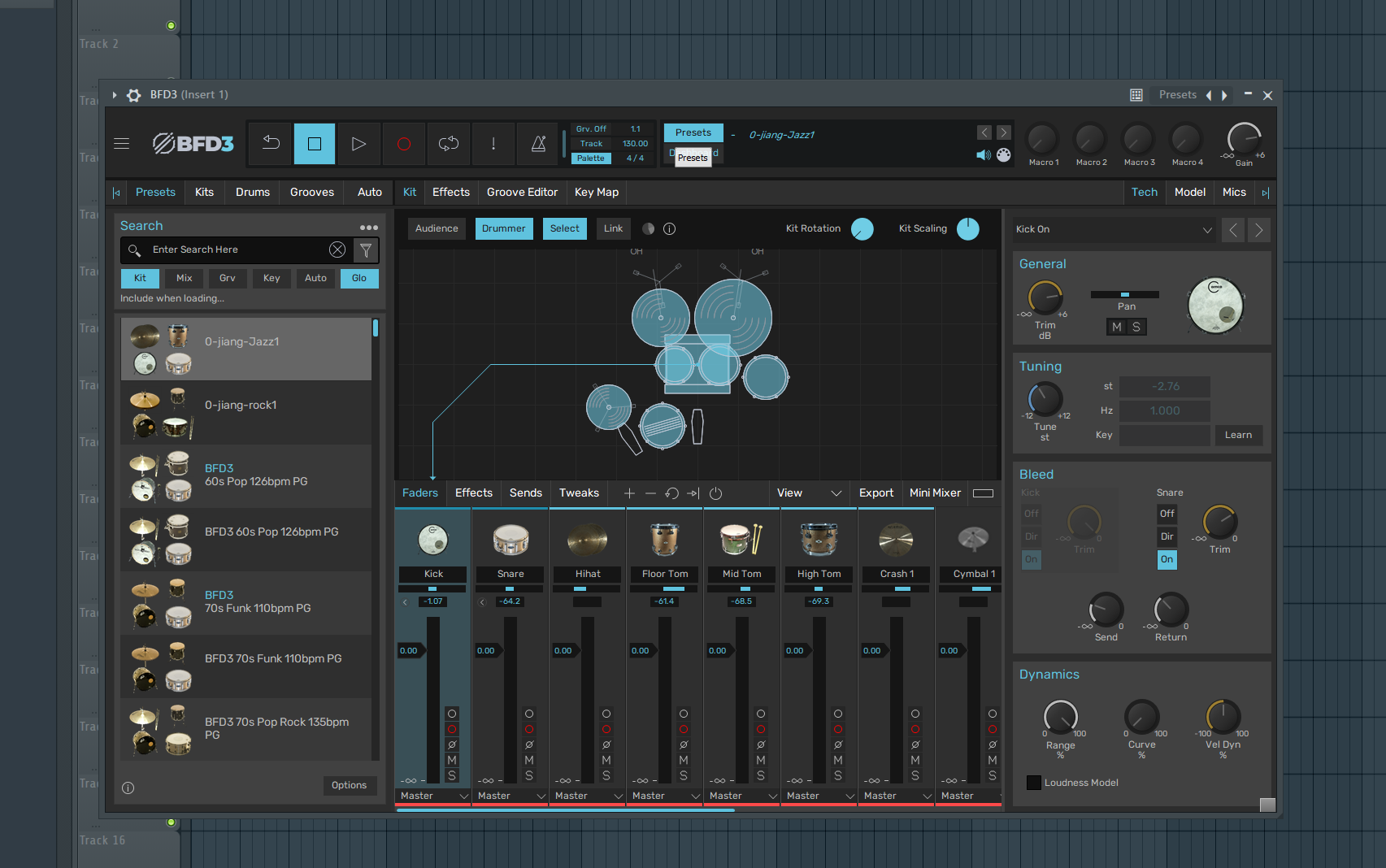
The case has been solved, guys! You might not believe it if I tell you. I just accidentally opened the plugin menu of FL and found that the VST3 version of BFD wasn’t activated. This black border was a problem with VST2. After I opened the VST3 version, the black border disappeared.
---
### Author:  [@jiagnli](https://forum.bfddrums.com/u/jiagnli)
#### Post date: [November 8, 2025, 2:27pm UTC](https://forum.bfddrums.com/t/bfd3-5-problem-fl-studio-s-gui/9054/9 "2025-11-08T14:27:21Z")
My PC is Win11,the screen is 2560\*1440